
Manual
For OG Synth 0.91. Names in capitals are what the FM-1 and its screen say.
Before you start
OG Synth installs from the browser: open the install page in Chrome or Edge, connect the FM-1 by USB, press Install and allow MIDI when asked. Back up your presets first, the install page links to the backup. The same page puts the stock firmware back.
The bottom line of the screen always says what the buttons do right now. If you get lost, read it, or press HOME.
The controls
- K1–K4
- The four sound knobs. On every page they set the four values shown above them.
- SELECT
- Moves: pages, lists, windows.
- PRESETS
- Steps through the presets of the engine you're on.
- ALGO
- A parameter of your choice on the home screen, a quick pick in lists.
- MASTER
- Volume.
- SEL
- The function key: confirms in windows, switches the extra option of a page, and held with a key it jumps.
- HOME
- Back, or cancel. On the home screen it opens the engines.
- EDIT ENV LFO
- The three sections of every engine.
- FX GLO
- Effects, and the settings of the whole instrument.
- SEQ ARP PLAY REC
- Sequencer and arpeggiator.
- OCT- OCT+
- Octave, from −3 to +3. The light is on when you're off zero.
- SAVE
- Lights up when the sound has changed.
The black keys with print on them (OP1–OP6, PITCH, GLOBAL, MONO, POLY) play notes like any other key. Held with SEL, LFO or ENV, they're shortcuts.
The home screen
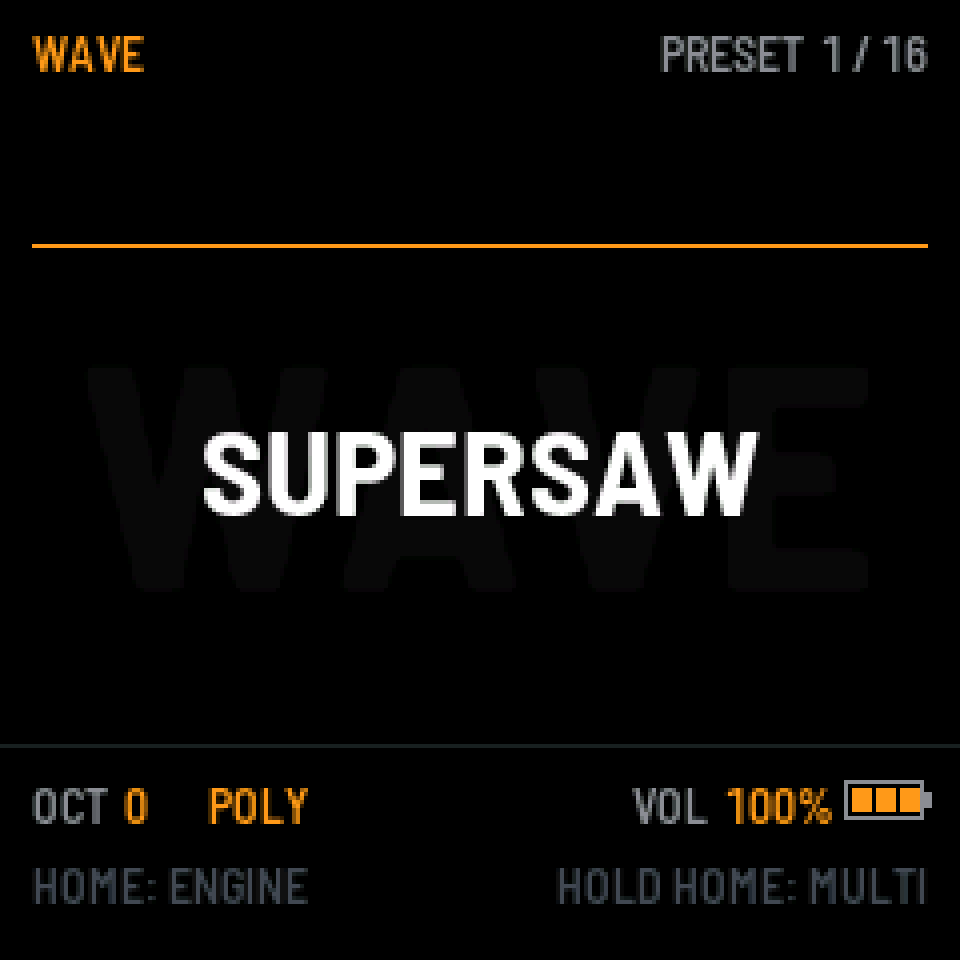
An oscilloscope on top, the preset name in the middle over the engine name, the preset number in the corner. The line under it shows octave, voice mode and volume.
- Turn PRESETS to change the sound.
- Turn K1–K4 and you're on the engine's quick page, such as the filter, or the algorithm on FM6. It goes back home after two seconds without turning.
- SELECT from home walks through every page of the engine.
Engines and presets
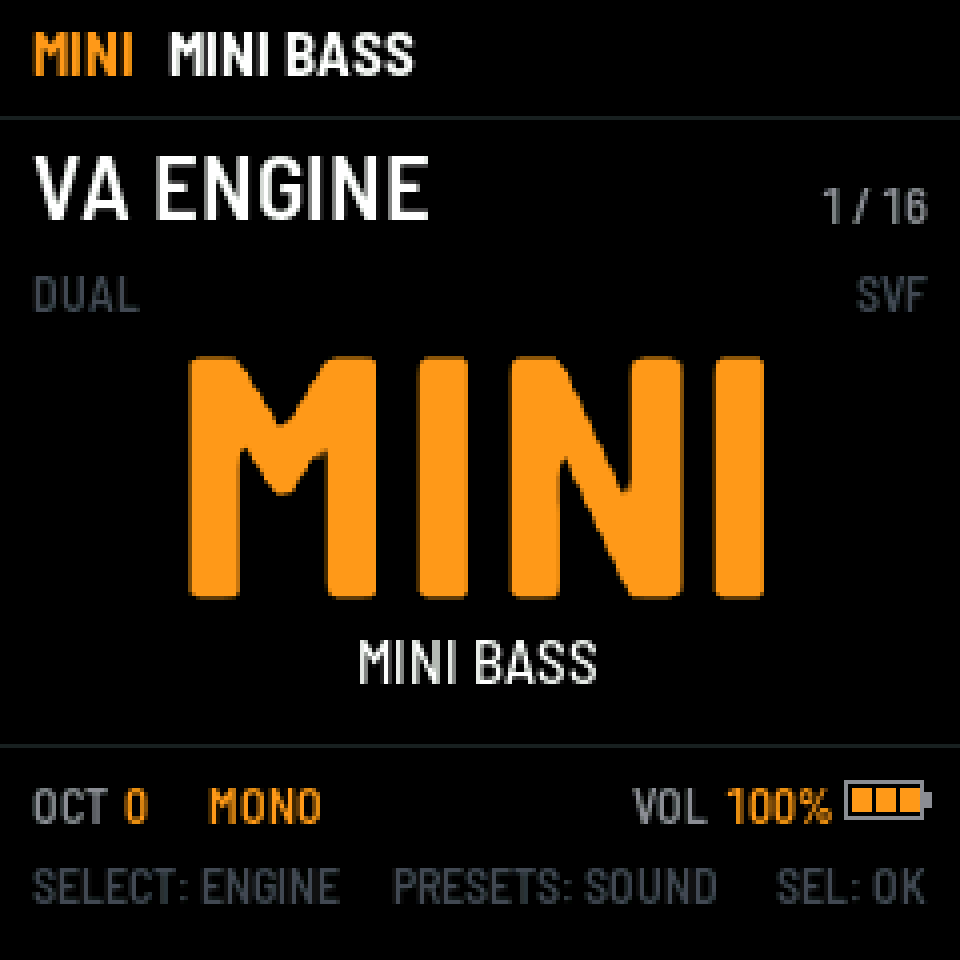
Press HOME on the home screen for the ENGINE window. SELECT goes through the engines, ALGO jumps between the groups (VA, DIGI, DRUM), PRESETS plays the engine's sounds right away. SEL keeps it, HOME goes back to the engine you had.
Hold HOME and turn PRESETS for ALL PRESETS: every sound of every engine in one list. SELECT jumps between sections (USER, FACTORY, IMPORTED), ALGO between engines.
Every engine starts from its own INIT sound. Your preset, octave and engine are remembered by themselves.
Saving
When the sound has changed, a star shows on the screen and SAVE lights up. Press it to overwrite the preset or save a new one. There are 128 USER places, shared by all engines. Then name it, up to 12 characters: SELECT picks the letter, OCT- and OCT+ move the cursor, SEL confirms.
Pages
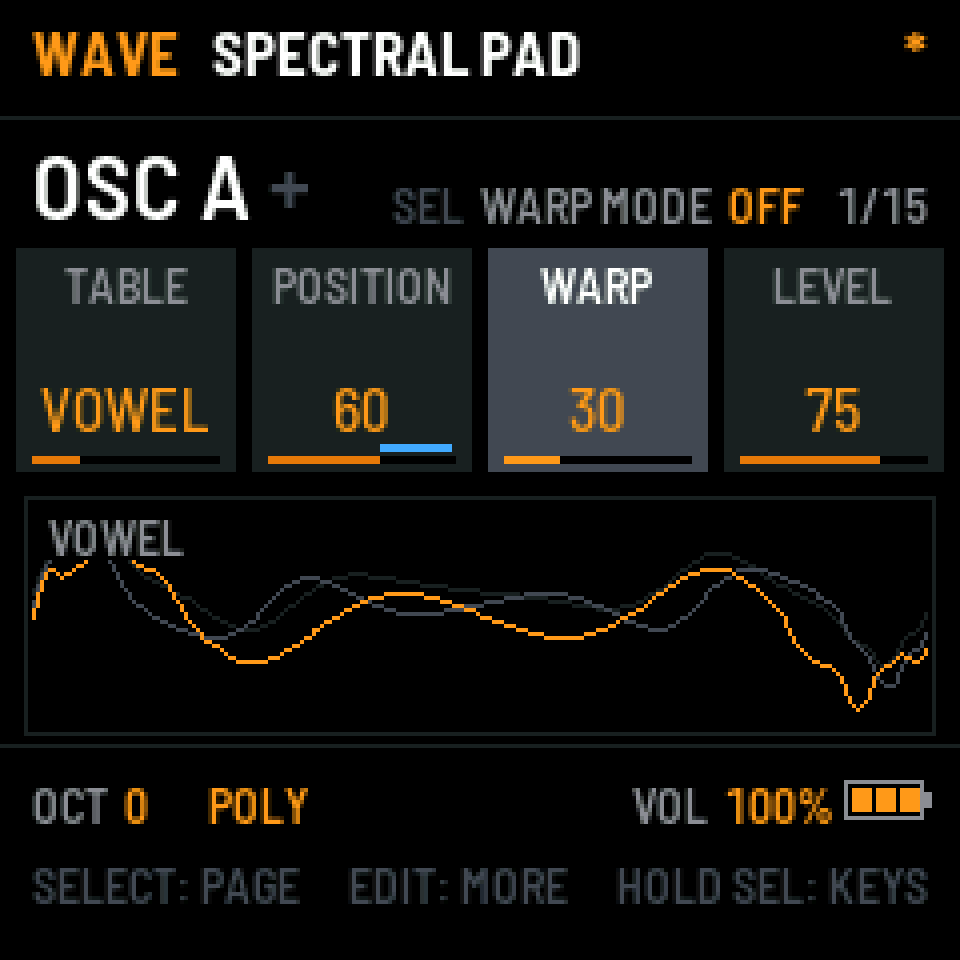
Every engine has three sections: EDIT for the sound itself (oscillators, mixer, voice, filter), ENV for envelopes, LFO for movement. Each page has four values for K1–K4 and draws what they do below.
- Press a section button for its last page, hold it for its first page.
- SELECT moves through the pages of the section.
- Press the same section button again for MORE: the extra values of that page. A + next to the page name says there are some, and the button's light is full.
- SEL switches the page's extra option, shown in the header (for example WARP MODE). Its light is on where it does something.
- Every click of a knob changes something. Values that would look the same are skipped.
Two pages are in every engine: VINTAGE, the last page of EDIT, gives every voice its own small faults (eight kinds of unit, from slightly detuned to worn out), and CHORD, which plays a chord from one key. On CHORD, hold a chord on the keys and press SEL to learn it.
Shortcuts
Hold SEL for a moment and the keys that go somewhere light up, with their names on the bottom line. Then press one:
- OP1 OP2
- The sound sources: oscillators or operators, and their envelopes.
- OP3 OP4
- What sits next to them: sub, noise, bits, fold, or oscillators and operators 3 and 4.
- OP5
- Filter and tone.
- OP6
- Mixer and levels.
- PITCH
- Pitch and modulation pages, where the engine has them.
- GLOBAL
- Voice, unison, vintage.
- MONO POLY
- Voice mode.
Press the same key again to go to the next page in its group. The shortcuts work from any page.
Quick pages: hold EDIT, ENV or LFO and turn a knob for the engine's quick page, the amp envelope or LFO 1. Let go, and two seconds later you're back.
Modulation
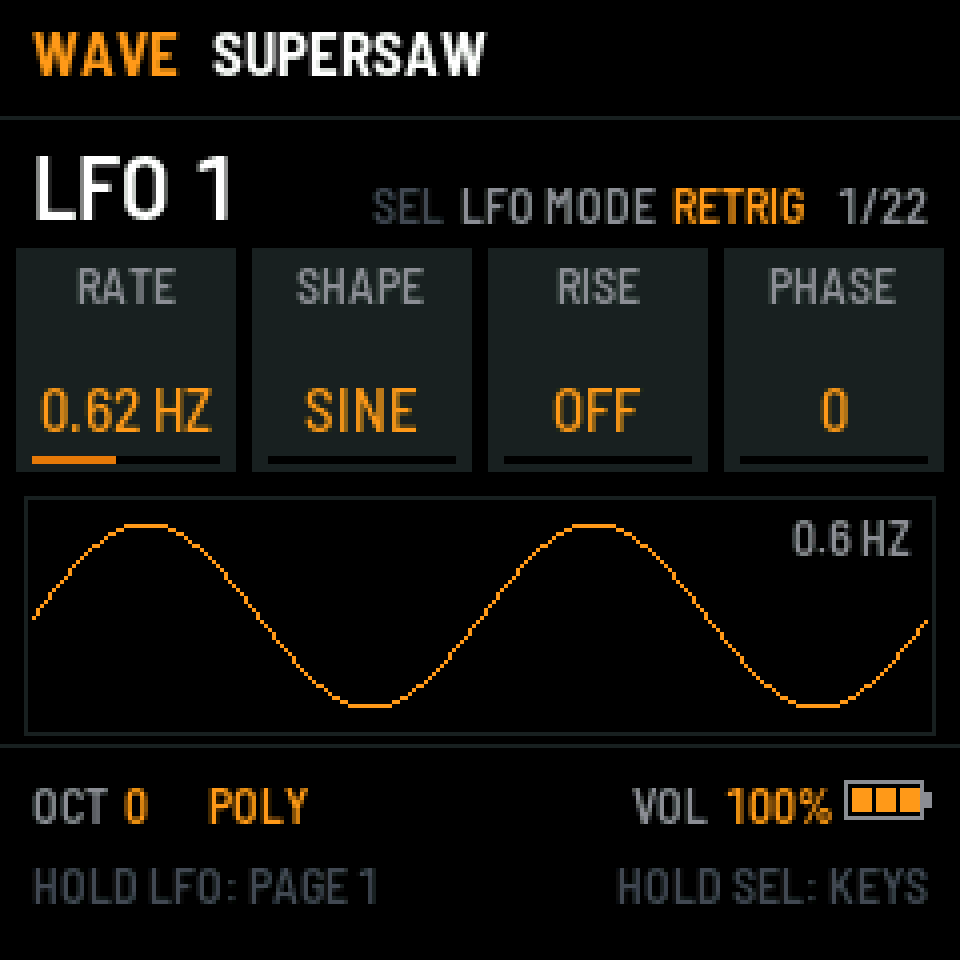
Hold LFO or ENV and press OP1–OP6: the MOD page of that LFO or envelope opens (OP1 is the first one, OP2 the second, and so on). SELECT goes through the targets, four at a time, and K1–K4 set how much, from −100 to 100. Bars next to the values show what's being modulated.
Close it with LFO, ENV or HOME. The drum engines have no LFOs or envelopes to route.
Effects
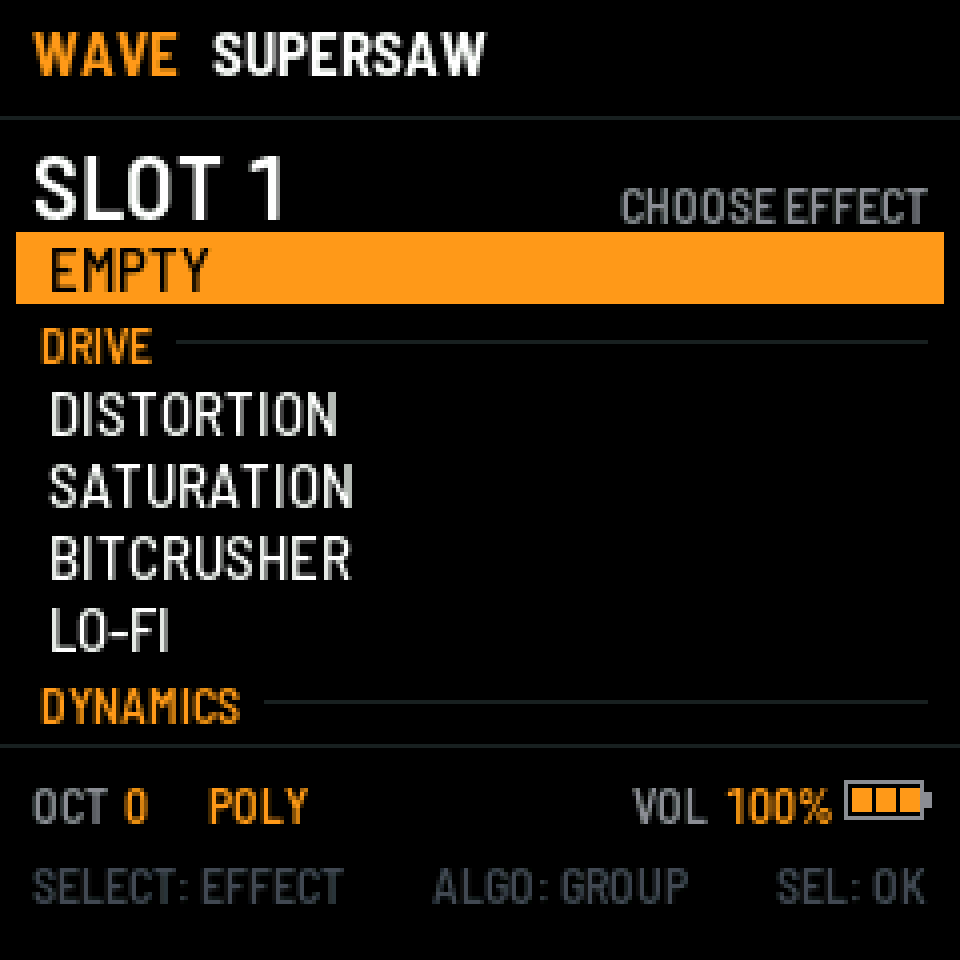
Press FX for the chain: eight slots, empty to begin with, any effect at most once.
- SELECT picks a slot, ALGO quickly changes its effect.
- SEL turns the effect on or off. On an empty slot it opens the list.
- Hold SEL for the list. ALGO jumps between groups, SEL picks. Pick one that's already in the chain and the two swap places.
- FX again shows MORE, as in the engine sections.
- EQ has four bands, low and high cut, and draws its curve over the live spectrum. Hold SEL and turn a knob to set that band's Q; the list opens after a longer hold.
Twenty-eight effects in seven groups: drive, dynamics, filter, mod, pitch, time and space.
MULTI
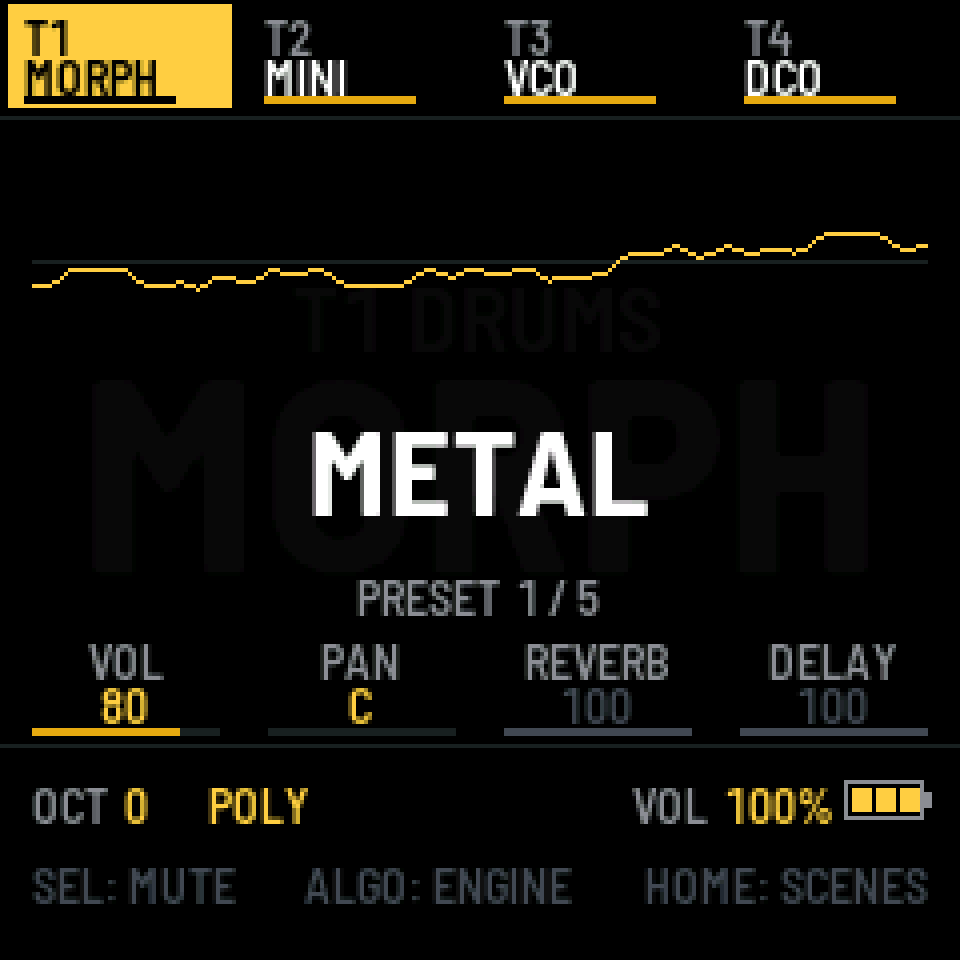
Hold HOME to switch between SOLO and MULTI. MULTI plays four tracks at once. Drums start on T1, and any track can be a drum engine: two drum kits play together (88 and 99 share their code, so not those two).
- SELECT picks the track, ALGO changes its engine.
- K1–K4 are the mixer: volume, pan, reverb and delay send.
- SEL mutes the track. Hold it for the list of engines. One that won't fit next to the others is red, with the reason.
- Hold EDIT and turn a knob for the quick page of the track's engine.
- HOME on the main screen opens the scenes.
Every track has its own effect chain. Hold FX in MULTI for PERFORM: the keys play effects over the whole mix, such as repeats, gates, tape stops and filter sweeps. OCT+ / OCT- switch to CURVES: four volume and time curves on F3, G3, A3 and B3 (GATE, PUMP, REPEAT, HALF). Hold a curve's key and turn K1–K4 for step, volume, time and smoothing. SEL latches.
Sequencer and arpeggiator
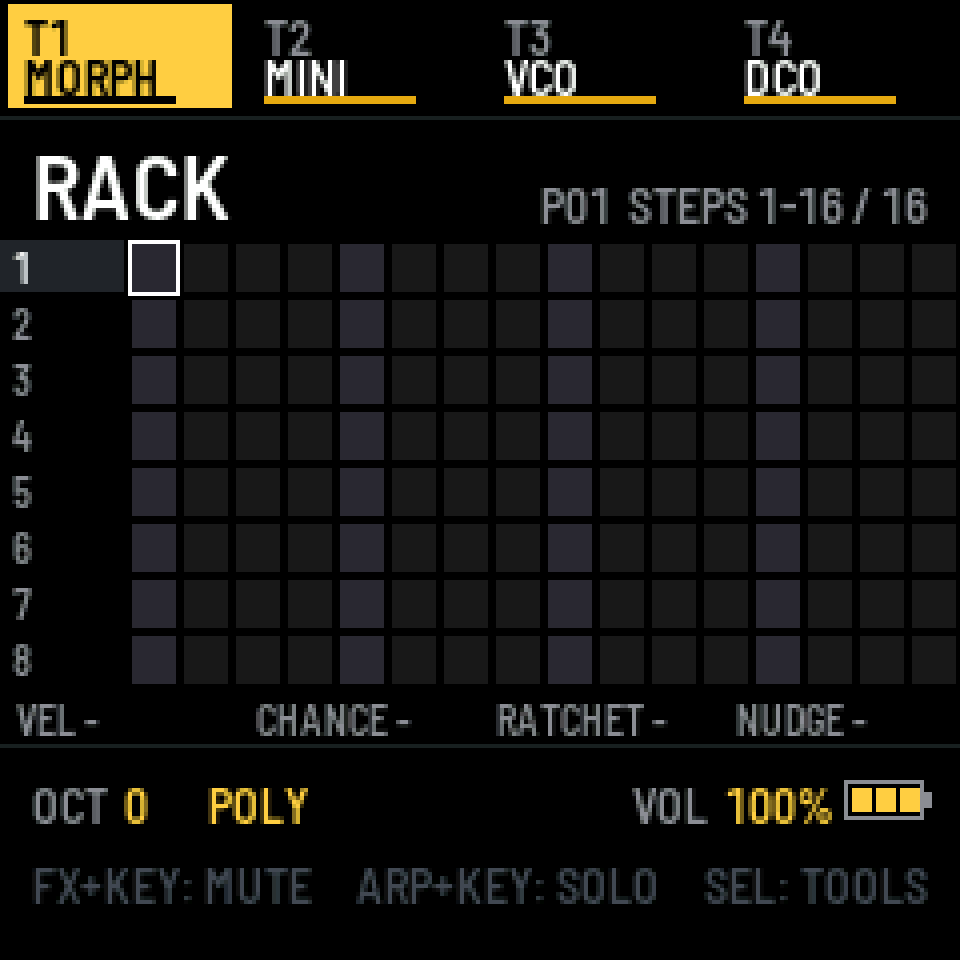
Press SEQ. Drum engines open RACK, a step grid; the others open NOTES, a piano roll. On a drum track, SEQ again switches between the two. Hold SEQ for the pattern settings.
RACK
- SELECT picks the row (the sound), the white keys turn steps on and off.
- K1–K4: velocity, chance, ratchet and nudge of the step. With SEL held, for the whole row.
- FX + white key mutes a row, ARP + white key solos it.
- ALGO moves between pages of steps, SEL + ALGO sets the pattern length.
NOTES
- SELECT moves the cursor, ALGO sets the grid.
- Play a key on an empty step to write it. K2 pitch, K3 length by grid step (finer with SEL held), K4 velocity.
- SEL + ALGO sets the pattern length, by grid step.
- SEL opens the note card: move, glide, chance, ratchet, quantize, velocity random, duplicate, delete.
- SEL + K4 is undo (left) and redo (right). Hold SEL to see the rest.
Playing and recording
PLAY starts from the cursor, held from the beginning. REC on its own writes step by step from the keys, REC with PLAY records live.
Arpeggiator
Press ARP to turn it on or off, hold it for its settings. There, SEL is latch, and the CHORD page decides what the arpeggiator does with the engine's chord: play it as one stab, spread it note by note, or leave it out.
Settings
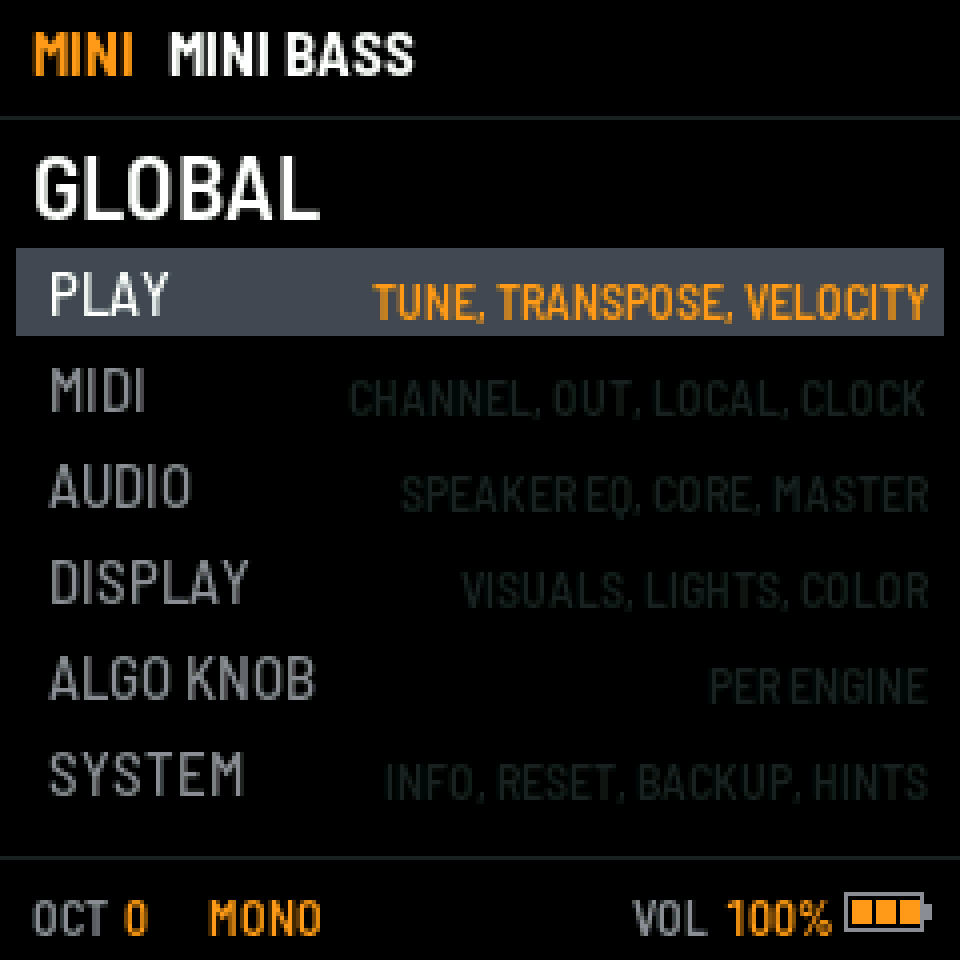
GLO opens the settings of the whole instrument, from anywhere. GLO again takes you back to where you were.
- PLAY
- Tune, transpose, velocity. FIXED VEL plays every key at one velocity.
- MIDI
- Channel, MIDI out, local control, clock.
- AUDIO
- Speaker EQ, the second core, master, and the master compressor of MULTI.
- DISPLAY
- Visuals, lights, color.
- ALGO KNOB
- What ALGO does on the home screen, for each engine.
- SYSTEM
- Info, factory reset, backup, and HINTS: turn the bottom line off once you know your way around.
Your own sounds
The Manager page sends sounds to the FM-1 over USB, in Chrome or Edge:
- DX7 sounds and banks (.syx) for FM6. A bank opens the DX7 BANK window: SELECT picks one of eight places, SEL saves.
- CZ sounds (.syx) for PHASE, one at a time or a whole bank to one of sixteen places.
- Wavetables (.wav, up to 63 frames) for WAVE, into USER 1–3, and an editor to draw your own.
- The FM-1's original 128 sounds, back into DX7 banks 1–4, any time.
Loaded banks show up in ALL PRESETS under IMPORTED.